
Appearance
AMP Manager
Desktop app for local development. Docker-based stack with a click-and-run GUI.
No terminal required. Extendable and Open Source.
Features
AMP Manager provides a unified interface for:
- Local domain management with automatic SSL certificates
- Docker container monitoring and control
- Encrypted credentials and notes storage
- Visual workflow automation
- Tunnel services integration (share local projects)
Prerequisites
- Windows 10/11
- Docker Desktop installed and running
First Run Setup
- Install Docker Desktop - Download and install Docker Desktop
- Install AMP Manager - Download the latest release to your drive
Run Docker and Amp Manager
- Start Docker Desktop - Ensure Docker is running (check system tray icon)
- Initialize containers - Open a terminal in the AMP Manager folder and run:
docker compose up -d - Launch AMP Manager
- Install Root CA
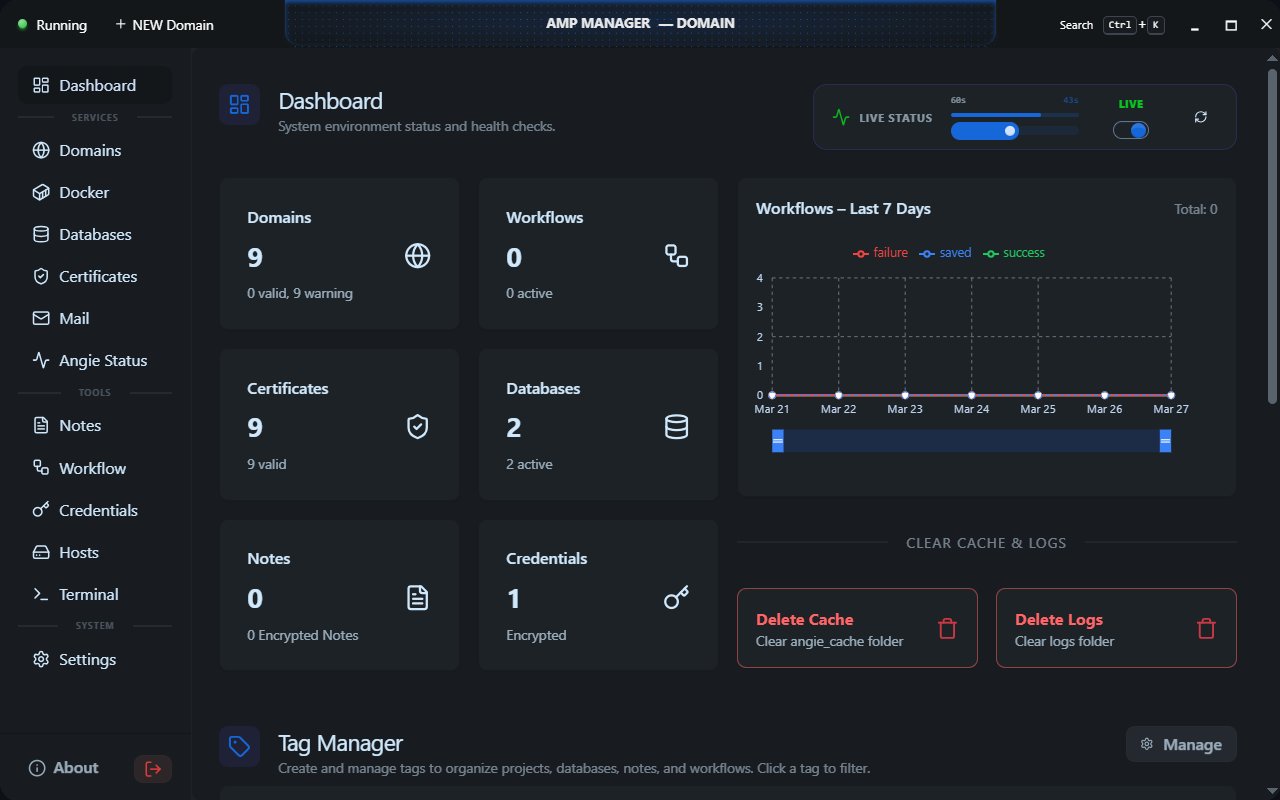
The dashboard will show all systems as "Healthy"
System ChecksDocker must be running whenever you use AMP Manager. The Dashboard's System Checks section displays the current status. You can also use AMP Manager to launch and control Docker.
Creating Your First Domain
- Open AMP Manager
- Click "Add Domain"
- Enter domain name (e.g.,
myproject) - Click Create
Your domain is now available at https://myproject.local with automatic SSL!
Tech Stack
| Layer | Technology |
|---|---|
| Frontend | React 19, TypeScript, Vite, Tailwind CSS, DaisyUI |
| Backend | Neutralino.js 6.5, Windows Batch (amp-tasks.bat) |
| Storage | JSON Files (users/ folder), Web Crypto for encryption |
| Containers | Docker Compose (Angie, PHP, MariaDB) |
Development
- Clone or download AMP Manager
- Open terminal in the project folder
- Run:
docker compose up -d - Run:
npm run build:app - Run:
post-build.bat - Launch
amp-manager.exe
After running
npm run build:app, you MUST runpost-build.batto apply the UAC manifest. Without this, the app runs without admin privileges and cannot install SSL certificates or modify the hosts file.
Key Concepts
Domains
Local domains with automatic SSL. Each domain gets:
- Auto-created folder in
www/ - SSL certificate via mkcert
- Angie configuration
- Hosts file entry
Containers
Docker containers managed by AMP:
- Angie - Web server
- PHP - PHP runtime
- MariaDB - Database
- Mailpit - Mail
Encryption
Sensitive data (credentials, notes, settings, workflows, site configs) is encrypted using AES-256-GCM with keys derived from your password.
Documentation
| Document | Description |
|---|---|
| Core Concepts | How AMP works |
| For Users | Step-by-step for beginners |
| For Developers | Quick start for devs |
| Architecture | System design |
| Amp Tasks Reference | Batch commands |
| API Reference | AMPBridge API |
| Component Reference | UI components |
| User Interface | UI tech stack |
| Security | Security model |
| Workflows | Deployment guides |
| Tunneling | Tunnel services |
| Contributing | Developer guide |
| Troubleshooting | Common issues |
| Glossary | Terms explained |
Support
- Issues: GitHub Issues
- Troubleshooting: GitHub Discussions
License
AMP Manager is released under the MIT License.